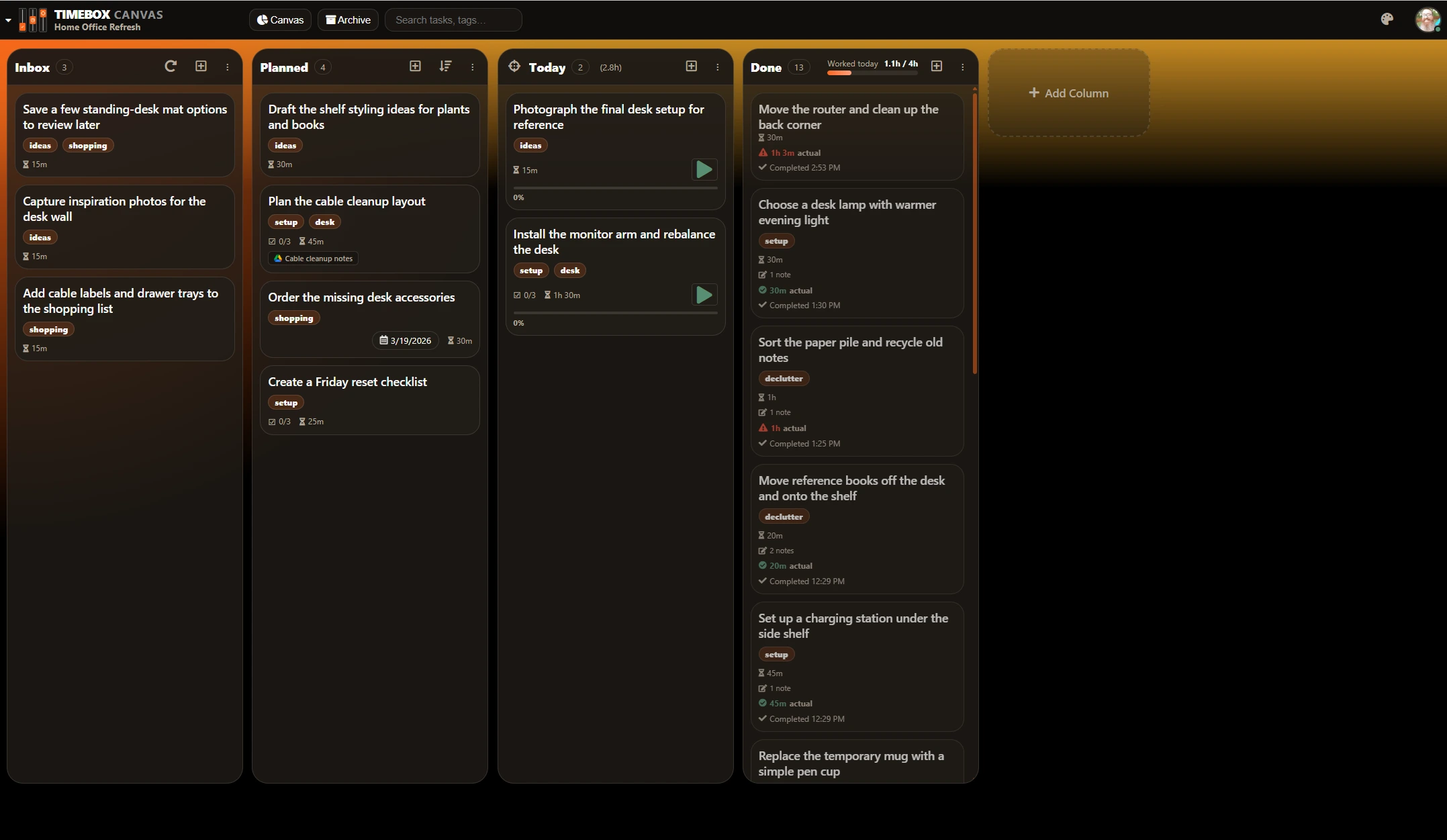
Click to enlarge
Wide board view with Today, Done, timer controls, and daily hours.
The main board screenshot should explain the app at a glance.
Timebox Canvas turns your Google Tasks into a super personal project management tool. It helps you organize, plan, prioritize, track, and focus on the day so you stay in control of the work instead of the work controlling you.
Timebox Canvas is strongest when you want a simpler, more personal execution system. It removes the complexity of team-heavy software and keeps the tools that matter for actually getting your work done, including the guardrails and automation that keep cards consistent as they move.
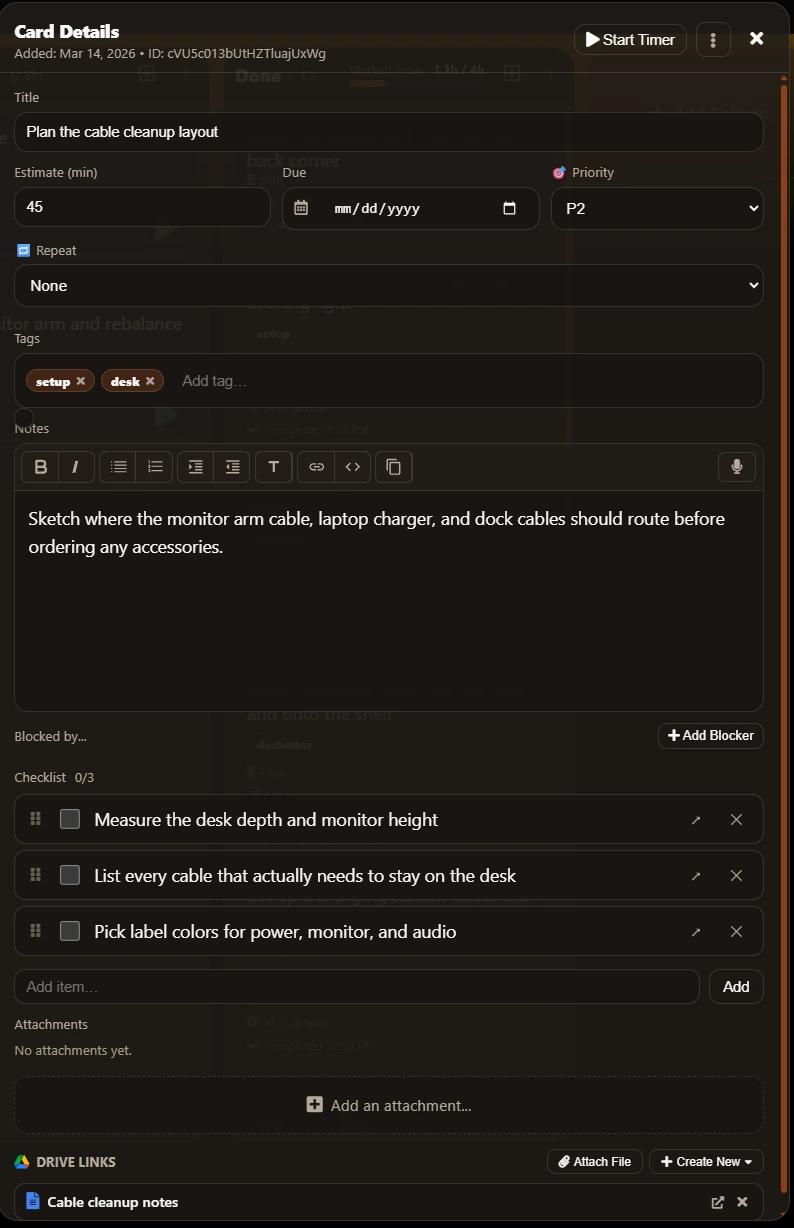
Use custom columns, subtasks, due dates, recurrence, estimates, priorities, blockers, tags, and custom fields without losing a clean Kanban flow or letting important details go missing.
Start timers from the board or the card, use timebox presets, keep manual and timer-based work logs, and get an alarm when the session ends.
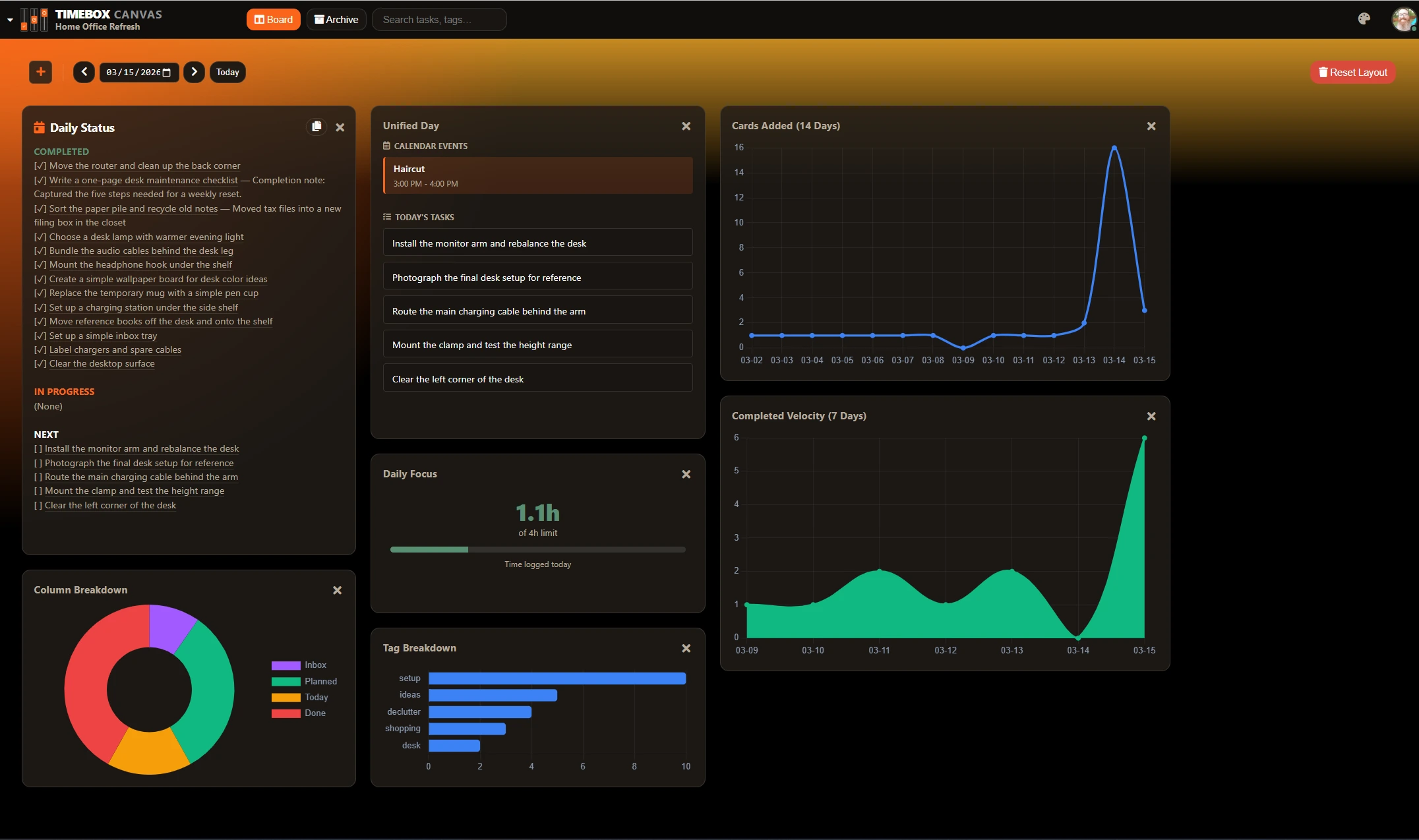
Set a personal limit, see how much time you have already spent today, and use Unified Day to bring deadlines and calendar context into the same flow.
The app is at its best when your personal stack already lives in Google Tasks, Drive, Calendar, and Sheets.
Each board can enforce what a column requires and automatically set the right fields as cards are created, edited, or moved.
Dashboard widgets help you review focus, deadlines, velocity, and tag spread, and the board can be exported whenever you want.
The Google ecosystem is not just a sync destination here. It is the operating environment. That makes Timebox Canvas a strong fit for personal systems built around Tasks, Drive, Calendar, Contacts, and Sheets.
Boards map to Google task lists, including a Universal Inbox flow for tasks added outside the board. Your board data stays in Google instead of being copied into a separate Timebox Canvas database.
Attach files, use image covers, auto-detect doc links in titles, and embed Google files directly in the canvas area.
Your tasks and board data are not copied into a separate Timebox Canvas database. The app connects your browser directly to Google, so if you already trust Google with your work, there is no extra place where your board content is stored.
People managing personal projects, side businesses, study plans, creative work, or household systems. It is especially useful if you want the board and the clock to live in the same place.
Not primarily. That is part of the point. Timebox Canvas trades team-process complexity for a tighter personal execution tool.
Yes. That is where the product is strongest because Google Tasks is the backend and Drive, Calendar, Contacts, and Sheets become the surrounding context.
Yes. You can keep using both. Timebox Canvas syncs with your Google Tasks, but it also appends metadata to each task so the app can keep card details like tags, linked files, column placement, estimates, and other board-specific settings. In the Google Tasks interface this data appears as JSON at the bottom of a task's details. You should not edit or delete that block.
Timebox Canvas also creates a registry task list and registry task in Google Tasks so it can keep track of your boards and settings. Those items should not be edited or removed manually.
In Google and in your own browser cache. Timebox Canvas does not copy your board into a separate hosted database. It connects directly from your browser to Google, so there is no extra service storing your task content in the background.
Built-in timing, daily limits, Unified Day planning, work logs, PiP focus, and Google-native document context make it more than a board.
Yes. Columns can require things like estimates, due dates, notes, tags, logged time, and selected custom fields. If a card is missing something, the app opens the card details and shows exactly what needs to be updated before the move completes.
Yes. Board automations can react when a card is created, edited, or moved, then set tags, priority, due dates, and custom fields based on rules like title text, notes text, tags, estimates, column, or existing field values.
 Drive
Drive